
© Swiss Bob 2026
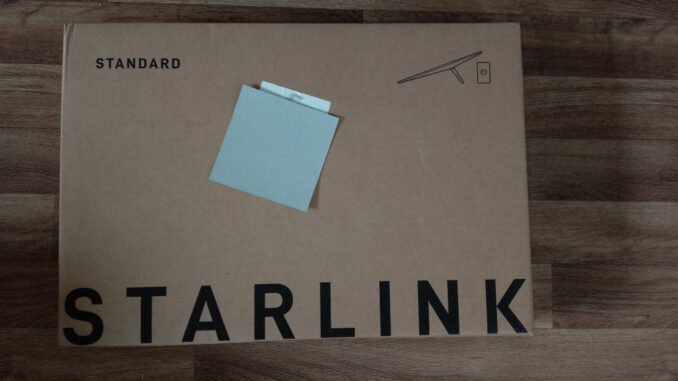
Why? My BT broadband, including mobile is £85/month. I get a download speed of around 23Mbps and it’s not particularly reliable. The basic Starlink package of £40/month (I understand this might vary by location) is 100Mbps and when I compared the latency (lag) there is not much if any difference though I wouldn’t suggest using a satellite link if you’re a pro gamer.
My dish was delayed several times and when I finally asked about likely delivery times they apologised, or rather the AI did which then gave me a £40 credit. I’m not complaining. High demand, waiting for Starship 14 to deploy the new terabit Starlink V3 satellites?
On the subject of AIs, the Starlink one is pretty good, not much of a surprise there. Actual customer support not so brilliant, I get the impression it’s all off shore so anything UK specific you might have problems with.
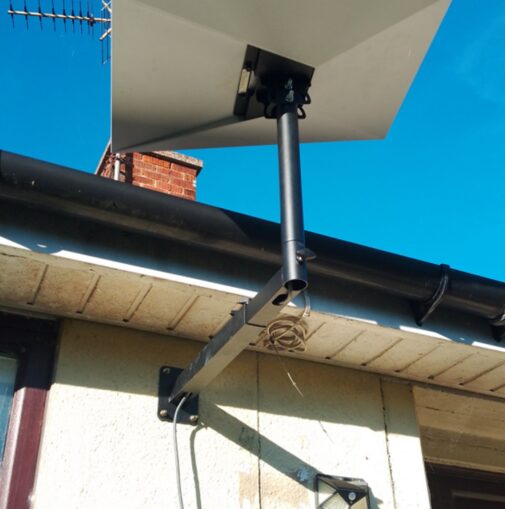
Link to the mount below, I paid £28.99. All the other bits and pieces are linked at the end. Originally I was going to buy the smaller version but the larger one was on offer and cheaper, so. . . I’m glad I did. I don’t think the smaller one would have been big enough. Measure twice etc. The mounts avaiable from Starlink are more expensive.
Amazon affiliate link to the mount I used: Starlink Mount for Standard 4/4X/Gen 3, 360°Adjustable Telescoping
© Swiss Bob 2026
Installing the mount and the dish
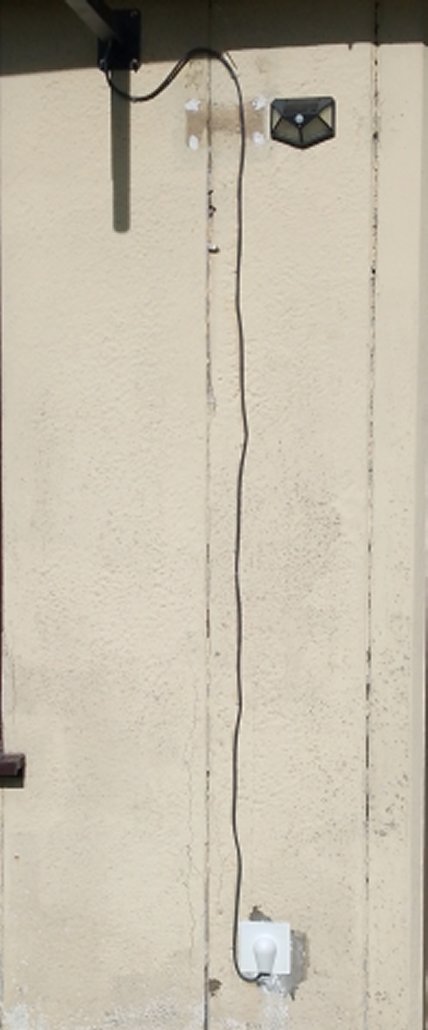
After notification of delivery I ordered all the other bits and pieces, exterior silicon sealant, cable clips etc (listed at the bottom) and once those arrived I got to work. Originally I was going to mount it on the gable end in what I thought was a wooden ‘truss’, the end of the ‘soffet’? So I ended up filling the holes in the soffet and moving to plan B. There had been a Sky dish on the front of the bungalow and a hole drilled in the wall to pass the cable through. I really didn’t want to drill into the concrete panels, but needs must.
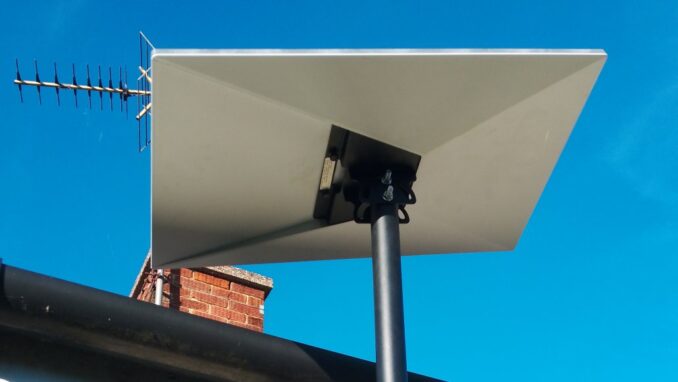
I unpacked my near 30 year old 30 Euro Chinese SDS drill and got to work. I really should check stuff first. RTFM. So the 10 mm hole I drilled was 2mm too big. Why would anyone think you use rawl plugs with expansion bolts I have no idea. I then switched to the 8mm drill bit for the other three holes. After some back breaking work up a ladder I got the post mouted. I’m sure three expansion bolts will hold it… (the fourth is more for show).
With regards to inclement weather. I shall keep you updated. It can get a little windy here. As far as snow goes, it has an inbuilt heater. See the settings in the app.
© Swiss Bob 2026
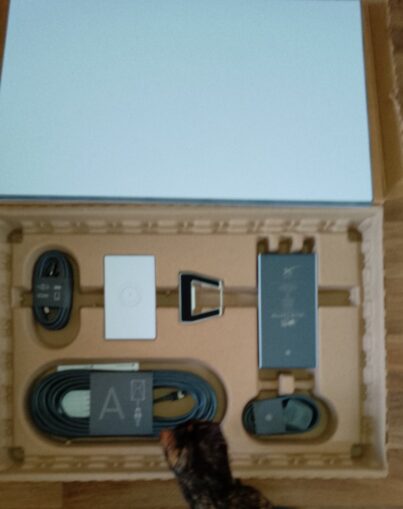
There are no instructions
This did my head in a bit. To order Starlink either go to the web page or download the app. Once it’s arrived and your dish is mounted you can now plug everything in. Watch YouTube is my suggestion, I just figured it out. Warning: The type of network plugs they use have big rubber grommets, once in not so easy to remove (I just looked it up on Google, shouldn’t be too difficult…). Once all plugged in load the app on your phone and follow the instructions, it’s actually quite straightforward.
© Swiss Bob 2026
From what I can tell, as long as the dish is facing the sky you will be connected. You will eventually get to the point in the app where it tells you the dish needs aligning, so get back up your ladder with your phone in one hand, a spanner in the other and start tilting/rotating the dish until it all lines up in the animation on your phone. To begin with I was a bit confused because it lined up on two sides but not the others. Like a parallelogram in a rectangle, then I flipped the dish in the opposite direction and voila. You can of course avoid all of this by paying near £100 for installation. What put me off was not knowing what I was going to have to pay for in additional mounts/cables etc and maybe travel time. I don’t like unknowns.
© Swiss Bob 2026
Connecting up devices
This was not simple but much of it was down to the age of my equipment. TV and phone are both 5G, everything else not. If you go into the app settings and select the router you have the option to split the WiFi into 2.4 and 5GHz networks. That done my laptop was still not working. Off to the office for a WiFi dongle and managed to connect on the 2.4GHz band. Then ordered a couple of smaller WiFi dongles (See affiliate links) and now connected 5G.
I then had all sorts of other problems related to some old ‘mesh’ (WiFi extenders) creating interference. I binned it all off and bought another Starlink router mini to go in my office. Plug it in and you have an extended WiFi network.
One intractable, only just resolved problem I did have was my Network Addressable Storage, shared storage on the network. It kept dropping connection and as it was connected by ethernet cable to the router this wasn’t a WiFi problem. After trying many, many things I ordered a cheap ethernet switch for £9 (see below), plugged that into the router mini, plugged the NAS into the switch, and now it works. Why? Why did I think this might work? Many, many years in IT. As long as there are things to try there is always a chance of success. Update: I did all this in the office on the new router mini (mesh node) which has it’s own power supply. Having just moved the NAS and switch to the living room I see the NAS has again disconnected. Back to the office with the switch and the NAS. I suspect it’s a power issue and the mesh router with it’s own power supply solves the problem but what do I know.
So far I am very happy with it and it is of course all plugged into my home backup system. Much better than my BT service, faster and cheaper. I have no doubt I will have a Starlink mobile in the not too distant future. Any questions email me but I will do my best to repond to comments.
Please do use the referral link and affiliate links. It really does help the site.
Starlink Referral link :You & your friend each get £40
Amazon affiliate links (I get a very small percentage which doesn’t affect the price you pay)
Starlink Mount for Standard 4/4X/Gen 3
600Mbps USB WiFi Dongle for PC Mini, Dual Band 5GHz 2.4GHz USB WiFi Adapter for PC
TP-Link LS1005G 5-Port Desktop/Wallmount Gigabit Ethernet Switch/Hub
rhinocables CAT 5e High-Speed Ethernet Cable
Cable clips
Industrial interior/exterior silicon sealant
Split wall gromet
Wall cable tidy
© Swiss Bob 2026